Products
Clicks Monday GIS
Maps and ArcGIS connected to monday boards — for regional and field work.
When GIS and operations need one map of truth: ArcGIS sync, map views on boards and items, and planning dashboards — without switching systems.
See how it works
Showing:
Monday GIS
4 assets · 3 with geometry · 4 Monday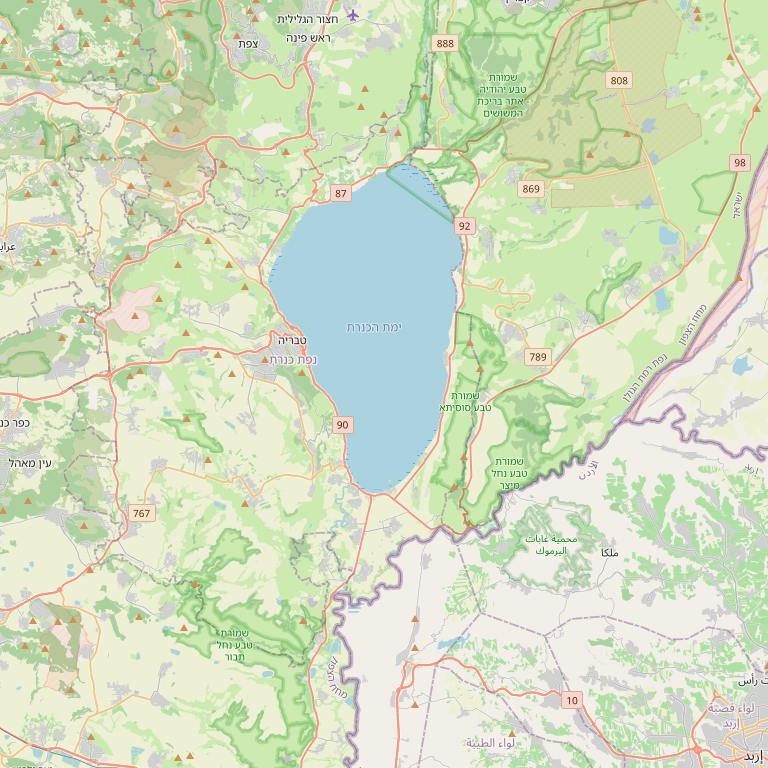 © OpenStreetMap
 Monday board view — list, map and CRM on one screen. Click an item to see combined data.
Monday ↔ ArcGIS sync
- 1 ArcGIS → Monday Update geometry from ArcGIS to Monday
- 2 Monday → ArcGIS Push CRM fields from Monday to ArcGIS
ArcGIS connection
FeatureServer root URL (no layer index)
Automatic sync
Scheduled sync runs in the background on your interval
FeatureServer URL, Esri OAuth and bi-directional sync — as in the live product.
Run history
Each row is one run. Counts show items updated per direction.
- Geometry · ArcGIS → Monday 12
- CRM · Monday → ArcGIS 8
- Geometry · ArcGIS → Monday 0
- CRM · Monday → ArcGIS 3
- Geometry · ArcGIS → Monday 15
- CRM · Monday → ArcGIS 11
- Geometry · ArcGIS → Monday 42
- CRM · Monday → ArcGIS 38
- Geometry · ArcGIS → Monday 5
- CRM · Monday → ArcGIS 0
- Geometry · ArcGIS → Monday 12
- CRM · Monday → ArcGIS 8
Track runs — geometry and CRM in both directions.
Who it is for
Regional clusters, authorities, utilities and teams with assets, infrastructure or field projects.
What usually breaks today
-
Project managers on monday cannot see where work sits geographically.
-
GIS updates and board updates fall out of sync.
-
Regional reports require manual exports to maps.
What you get
-
ArcGIS sync
Layers and entities — with control over what moves when.
-
Maps on board and item
Spatial context next to the task, not a separate tab.
-
Regional dashboards
Planning, project status and load by area.
-
Production product
Based on live mondaygis — familiar UI and branding.
Examples from the field
-
Regional cluster
Projects on the map with budget status on one board.
-
Municipal infrastructure
Field assets linked to resident requests on monday.
How we work with it
-
Define layers
ArcGIS, fields and sync rules.
-
Embed in boards
Map views and dashboards.
-
Train teams
Planning and field staff share one source.
From the field
-
Regional cluster — planning & tourism
One landing path — entrepreneur file, permit and support services linked
A regional cluster managing permit requests, tourism ventures and ties to business-support units needed one CRM with permission tiers and land signals for entrepreneurs. We built an end-to-end path: entrepreneur questionnaire, site dossier, tailored intakes and handoffs to the right units.
Read the story
Want to see this on your process?
A short discovery call: map your setup, see a relevant demo, and a realistic rollout plan.